CAM workspace
Import PCB data, edit and arrange projects, clone and panelize boards, create tabs, configure tools and operations, then generate machining toolpaths and G-code.

Prepare PCB machining projects from Gerber, ODB++, Excellon and DXF data. Arrange and panelize boards, create tabs, generate machining toolpaths and simulate the resulting G-code before production-file export.
Free Evaluation Mode with no time limit. The perpetual hardware license enables production-file export while the supplied official USB license dongle is connected.
PhCNC LSSE HD includes CNC simulation and verification but does not directly control CNC machines.
HD means Hardware Dongle Edition. The dongle license is portable between compatible computers with the required software and drivers installed.
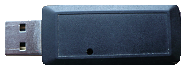
PhCNC LSSE HD provides the same principal CAM preparation and simulation workflow as PhCNC LSSE. Direct CNC machine control is not included.
Import PCB data, edit and arrange projects, clone and panelize boards, create tabs, configure tools and operations, then generate machining toolpaths and G-code.
Display the generated G-code, simulate tool motion, verify machining order and review the result. Direct control of AccurateCNC, TELENET or other CNC machines is not included.
PhCNC LSSE is PCB-CAD independent. It works with standard PCB manufacturing data rather than proprietary CAD project files.
Use ODB++ when available, or standard Gerber + Drill output from virtually any PCB CAD system.
Direct native CAD project files are not required. Export the manufacturing data from your PCB CAD software and import it into PhCNC LSSE.
| PCB CAD System | Gerber + Drill | ODB++ | Recommended PhCNC LSSE input | Demo |
|---|---|---|---|---|
| KiCad | ✓ | ✓ | ODB++ / Gerber + Drill | |
| Altium Designer | ✓ | ✓ | ODB++ / Gerber + Drill | |
| Autodesk Fusion (ex EAGLE) | ✓ | ✓ | ODB++ / Gerber + Drill | |
| Cadence Allegro / OrCAD PCB Designer | ✓ | ✓ | ODB++ / Gerber + Drill | |
| Siemens Xpedition (formerly Mentor Graphics) | ✓ | ✓ | ODB++ / Gerber + Drill | — |
| Siemens PADS / PADS Professional / PADS Pro Layout | ✓ | ✓ | ODB++ / Gerber + Drill | |
| Zuken eCADSTAR / CADSTAR | ✓ | ✓ | ODB++ / Gerber + Drill | |
| Zuken CR-8000 / CR-5000 | ✓ | ✓ | ODB++ / Gerber + Drill | — |
| Autodesk EAGLE (legacy) | ✓ | — | Gerber + Drill | — |
| EasyEDA Pro | ✓ | ✓ | ODB++ / Gerber + Drill | |
| EasyEDA Standard | ✓ | — | Gerber + Drill | — |
| DipTrace | ✓ | ✓ | ODB++ / Gerber + Drill | |
| DesignSpark PCB | ✓ | ✓ | ODB++ / Gerber + Drill | — |
| Pulsonix | ✓ | ✓ | ODB++ / Gerber + Drill | — |
| Other PCB CAD software with Gerber + Drill export | ✓ | If available | Gerber + Drill / ODB++ when available | — |
In the ODB++ column, “—” means ODB++ support is not asserted here; use the confirmed Gerber + Drill workflow. Manufacturing-data compatibility does not imply Bridge support for every CAD edition. The PADS Bridge targets Siemens PADS Pro Layout, not PADS Standard / Legacy or Xpedition. Bridge versions and installation.
Any PCB CAD system capable of exporting standard Gerber + Drill files can be used with PhCNC LSSE.
ODB++ provides the most direct manufacturing-data workflow when it is available.
Real-time demonstrations of PhCNC LSSE converting manufacturing data from real PCB projects into CNC-ready toolpaths and G-code.
ODB++ and Gerber + Drill workflows are both supported.
825 pads - 253 vias - 2,935 tracks
ODB++ provides the most direct KiCad import workflow: one manufacturing package, automatically recognized and processed by PhCNC LSSE.
825 pads - 253 vias - 2,935 tracks
Gerber + Drill files are automatically recognized by PhCNC LSSE. Saved import profiles can identify files by extension and apply the correct layer assignments with minimal user interaction.
416 components - 1,422 pads - 707 vias - 6,466 tracks
A real Altium Designer 17 PCB project with components on both sides, exported as ODB++ and converted into CNC-ready G-code in real time.
416 components - 1,422 pads - 707 vias - 6,466 tracks
The same Altium Designer project imported from Gerber + Drill using a saved file-extension profile for fast automatic assignment.
Real-time workflow - no video speed-up
ODB++ offers the shortest import path because the PCB manufacturing data is contained in one structured package. Gerber + Drill is also highly automated in PhCNC LSSE; saved import profiles can identify files by their extensions and apply the correct layer assignments with minimal user interaction.
The measured time depends on project complexity, computer performance and the selected manufacturing operations.
A complete PCB CAM workflow demonstrated in PhCNC LSSE.
This video demonstrates the complete PCB prototyping workflow in PhCNC LSSE - from importing Gerber RS-274X, Drill, and PnP files to generating and simulating CNC programs.
It covers PCB import, isolation milling, tool selection, Rubout regions, Copper View, breakout tabs, panel creation, importing multiple PCB projects, G-code generation, and CNC simulation.
The demonstration is performed without a PhCNC LSSE license, showing that generated G-code programs can still be reviewed and simulated in CNC mode.
The PhCNC LSSE HD USB dongle version uses the same PhCNC LSSE CAM environment shown below. Explore real PCB CAM projects from data import and toolpath preparation through isolation milling, drilling, stencil preparation, multi-board processing, G-code generation and integrated CNC simulation.
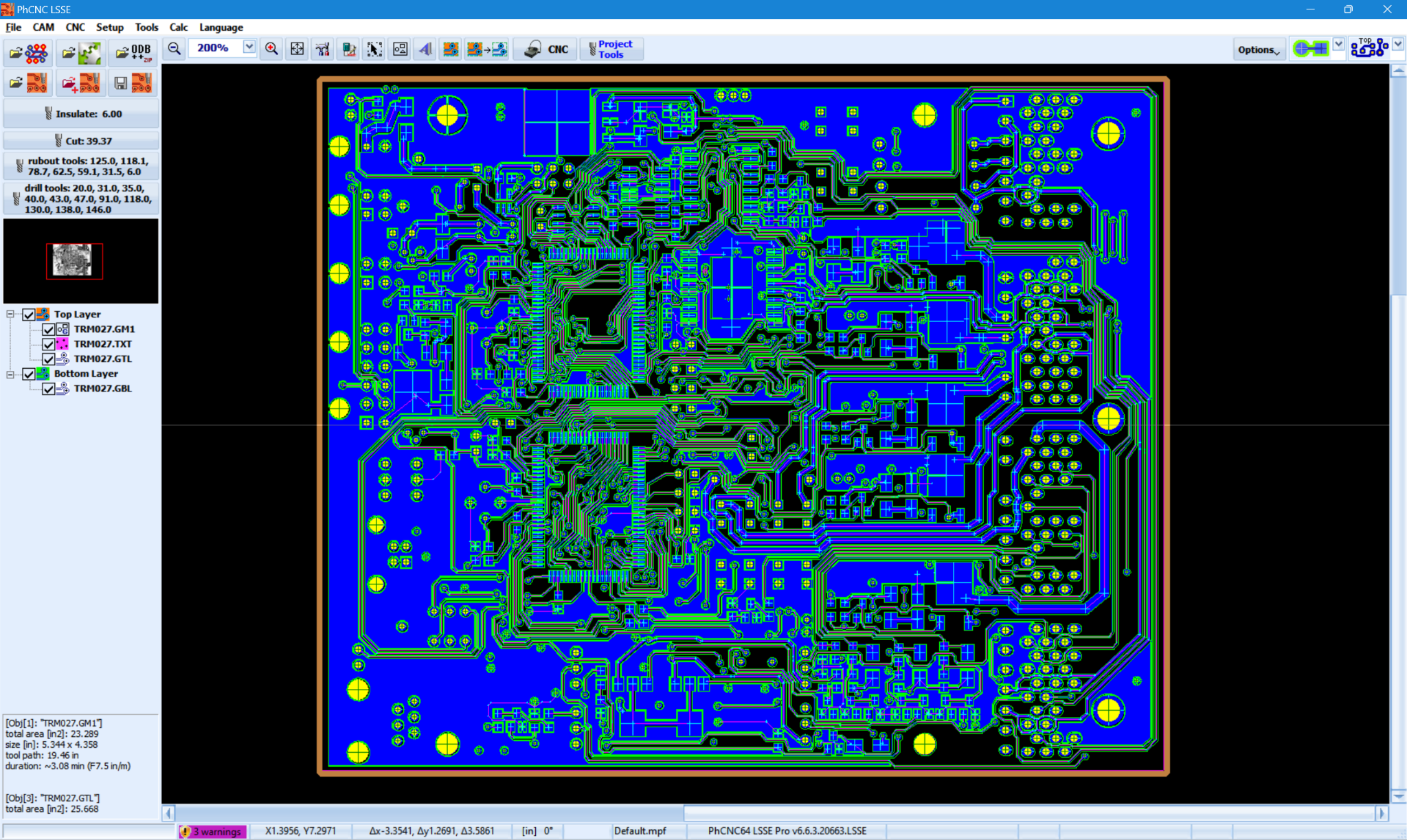
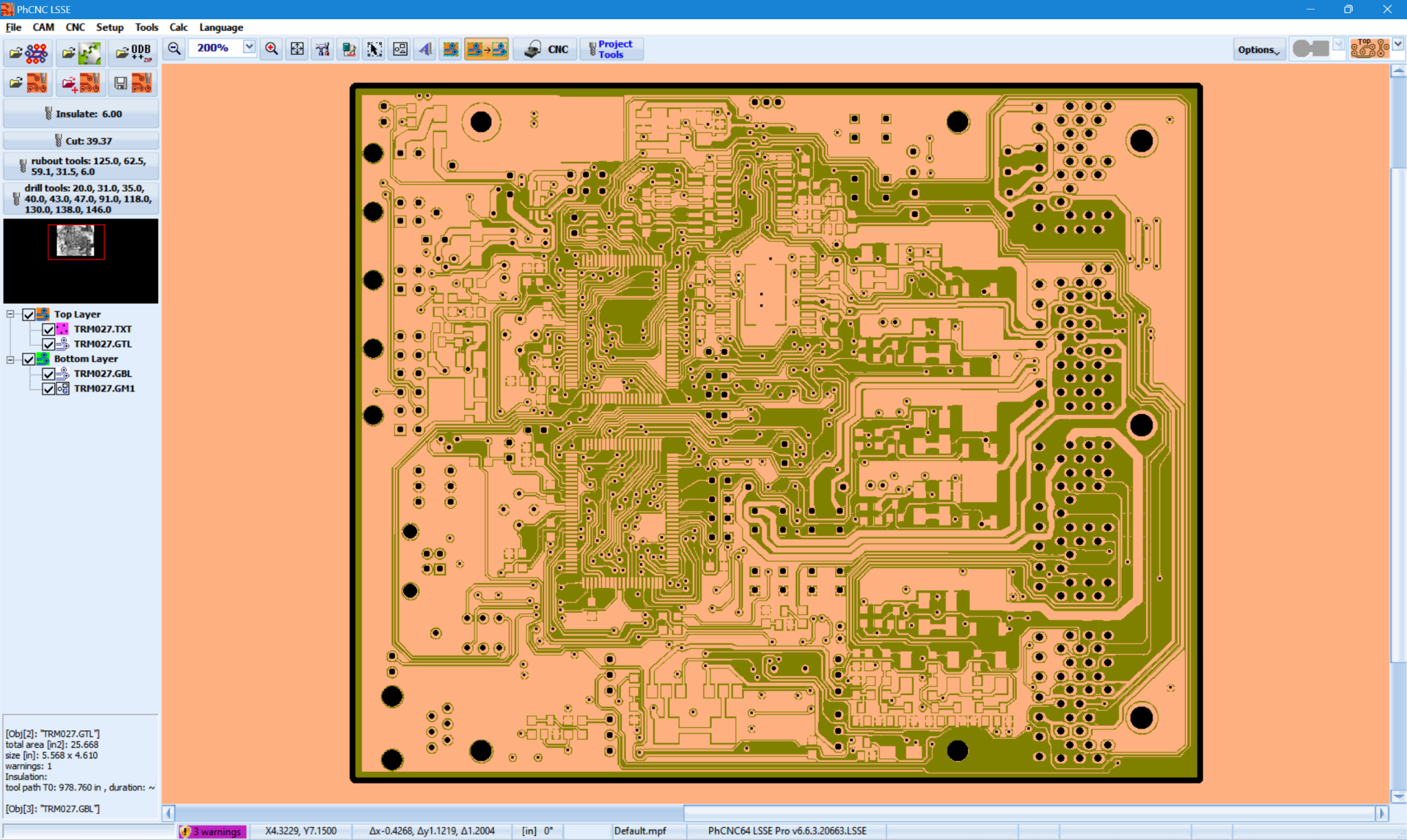
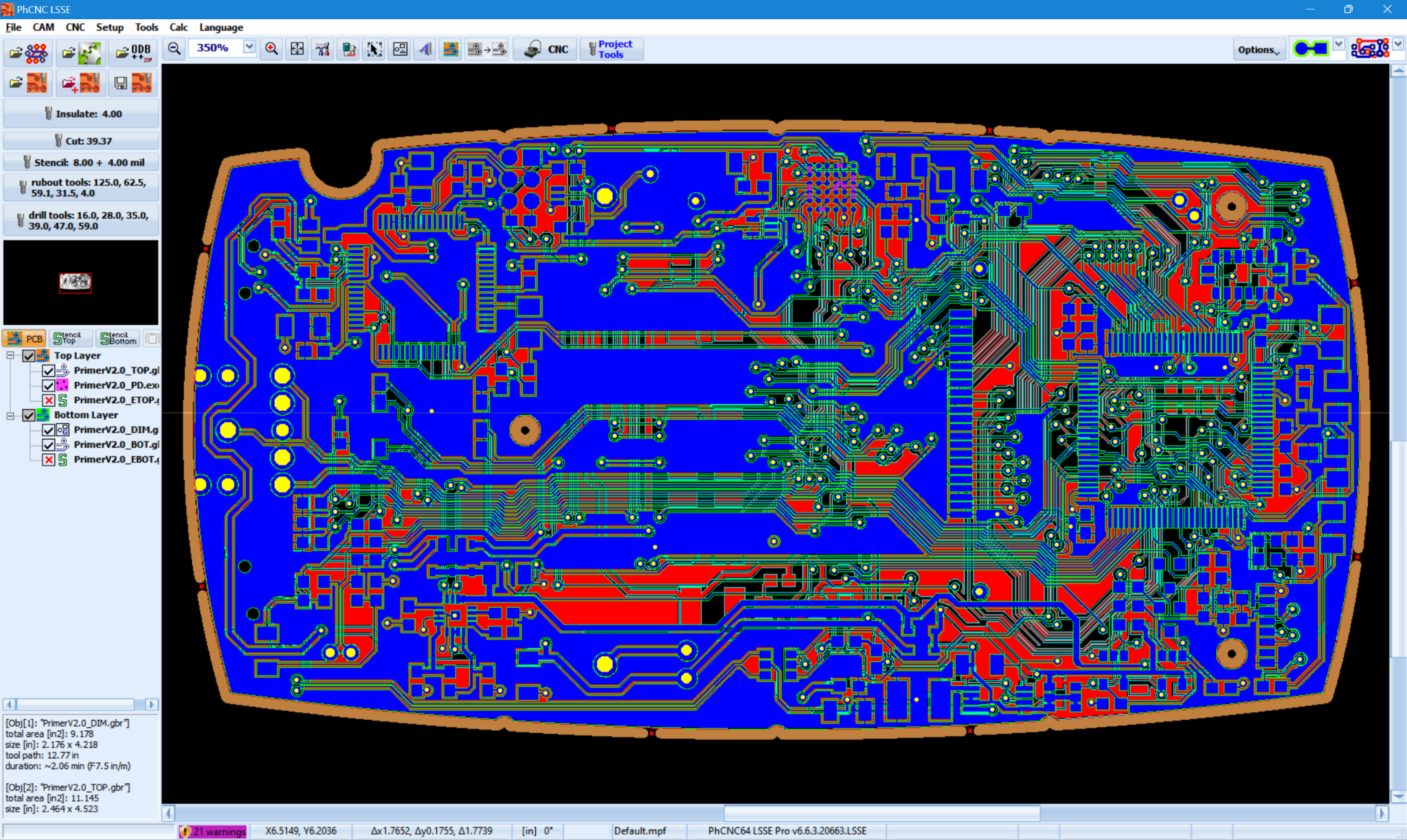
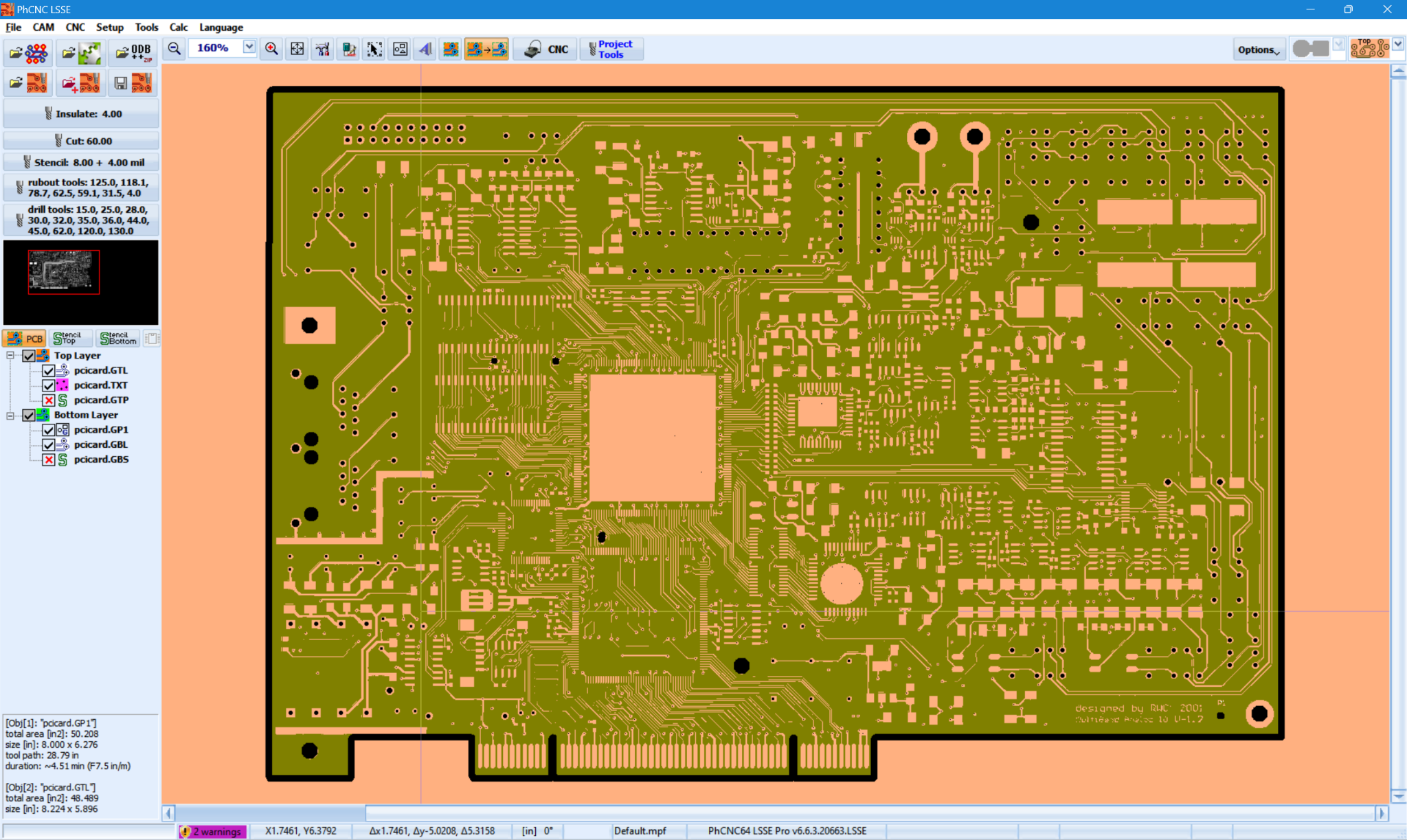
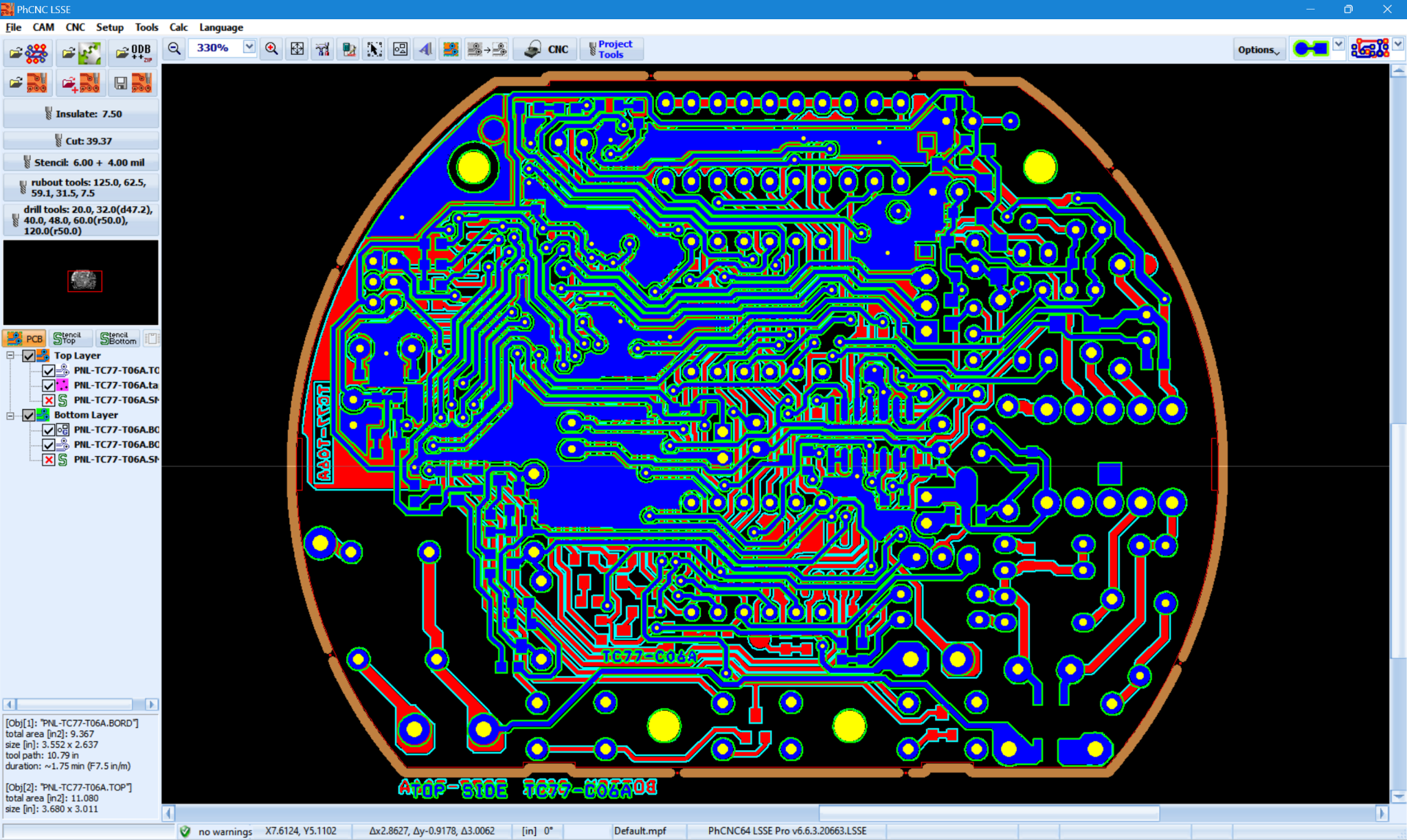
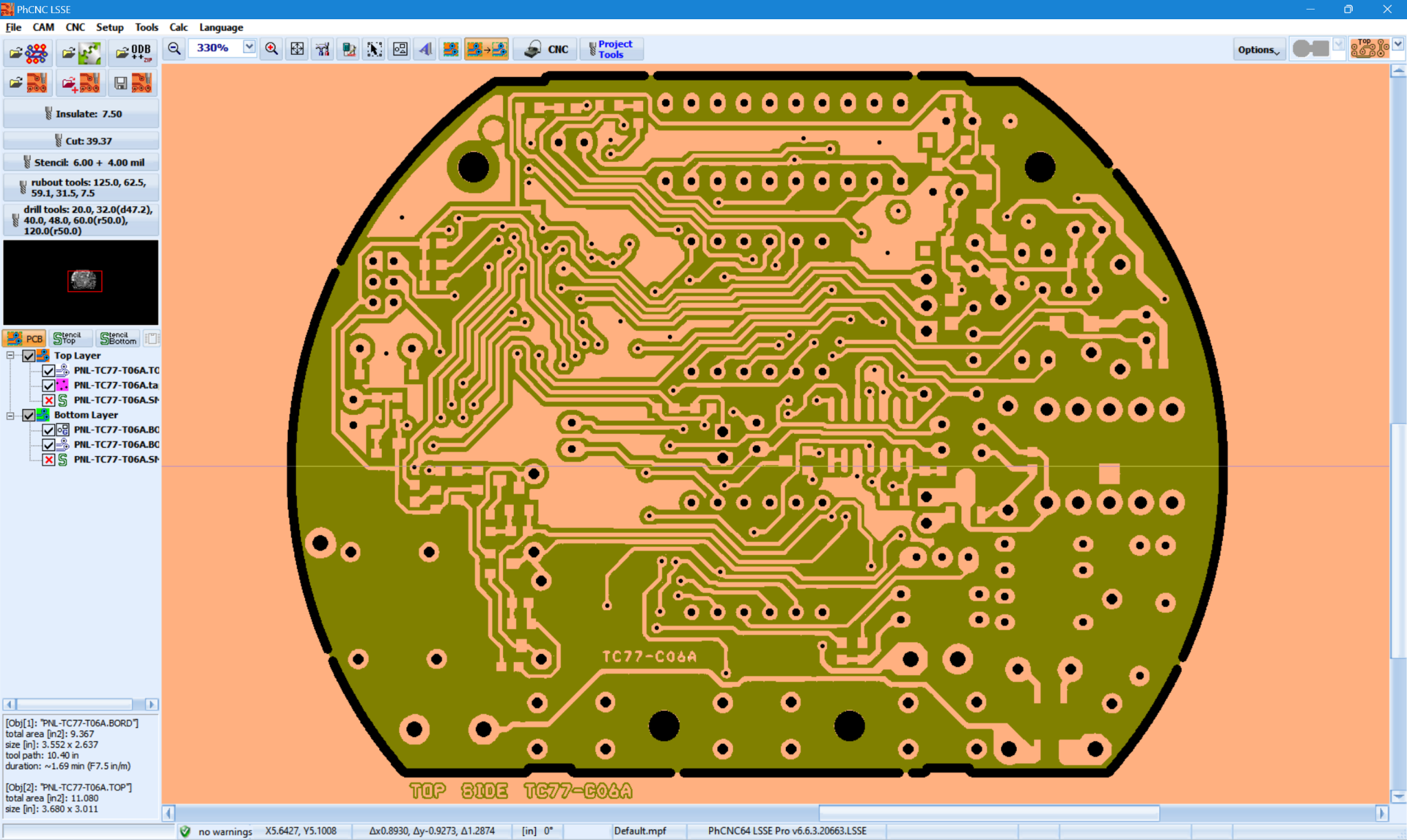
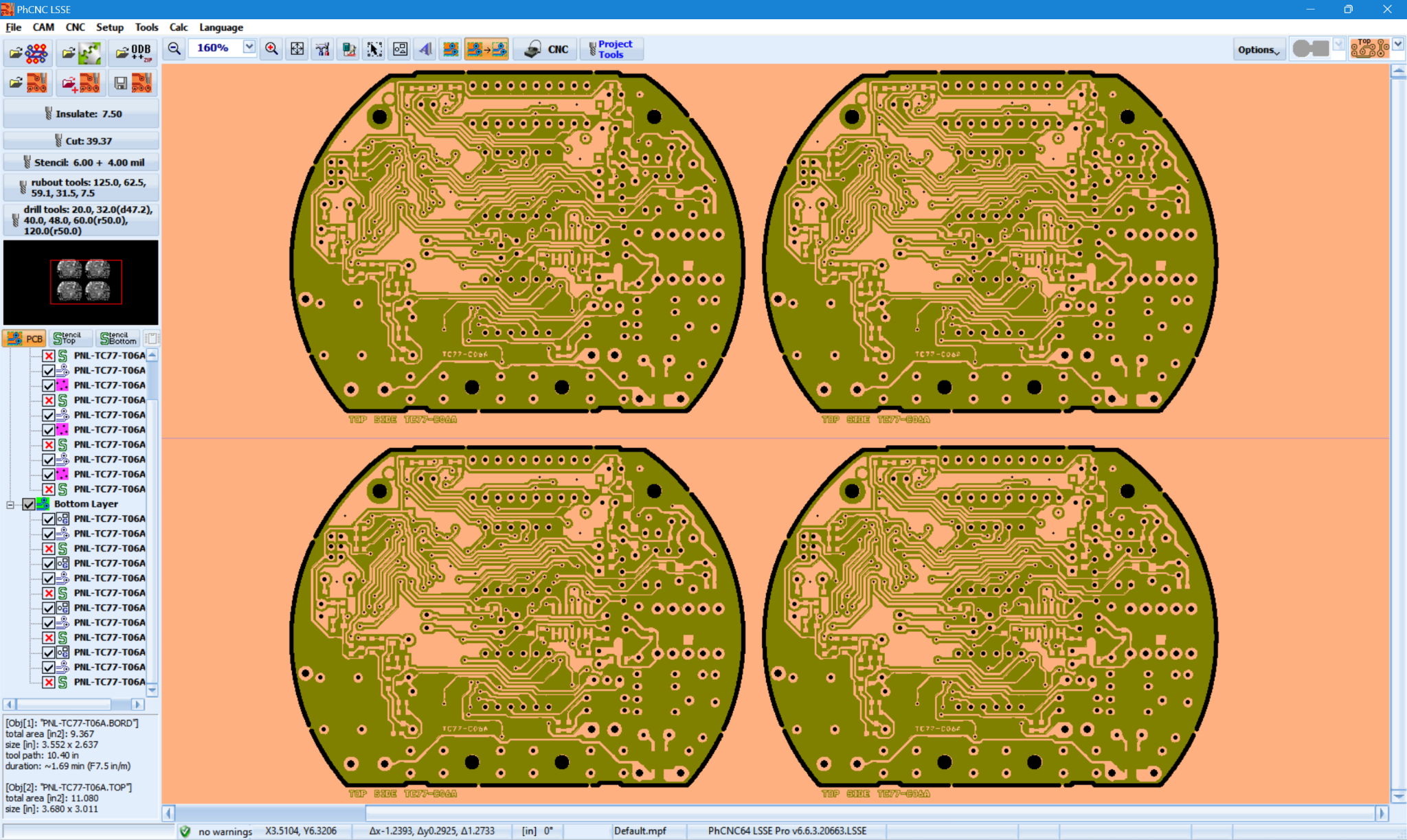
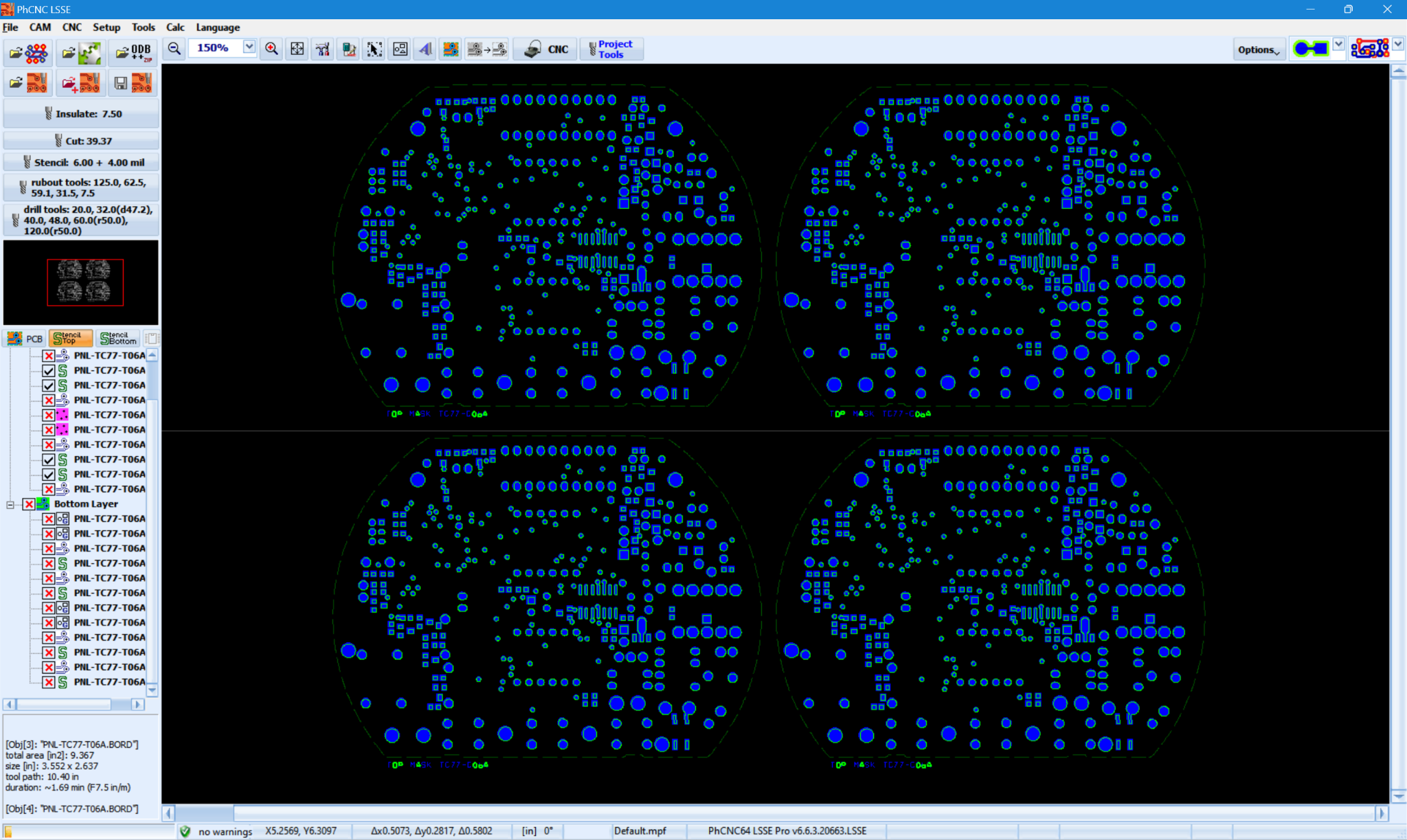
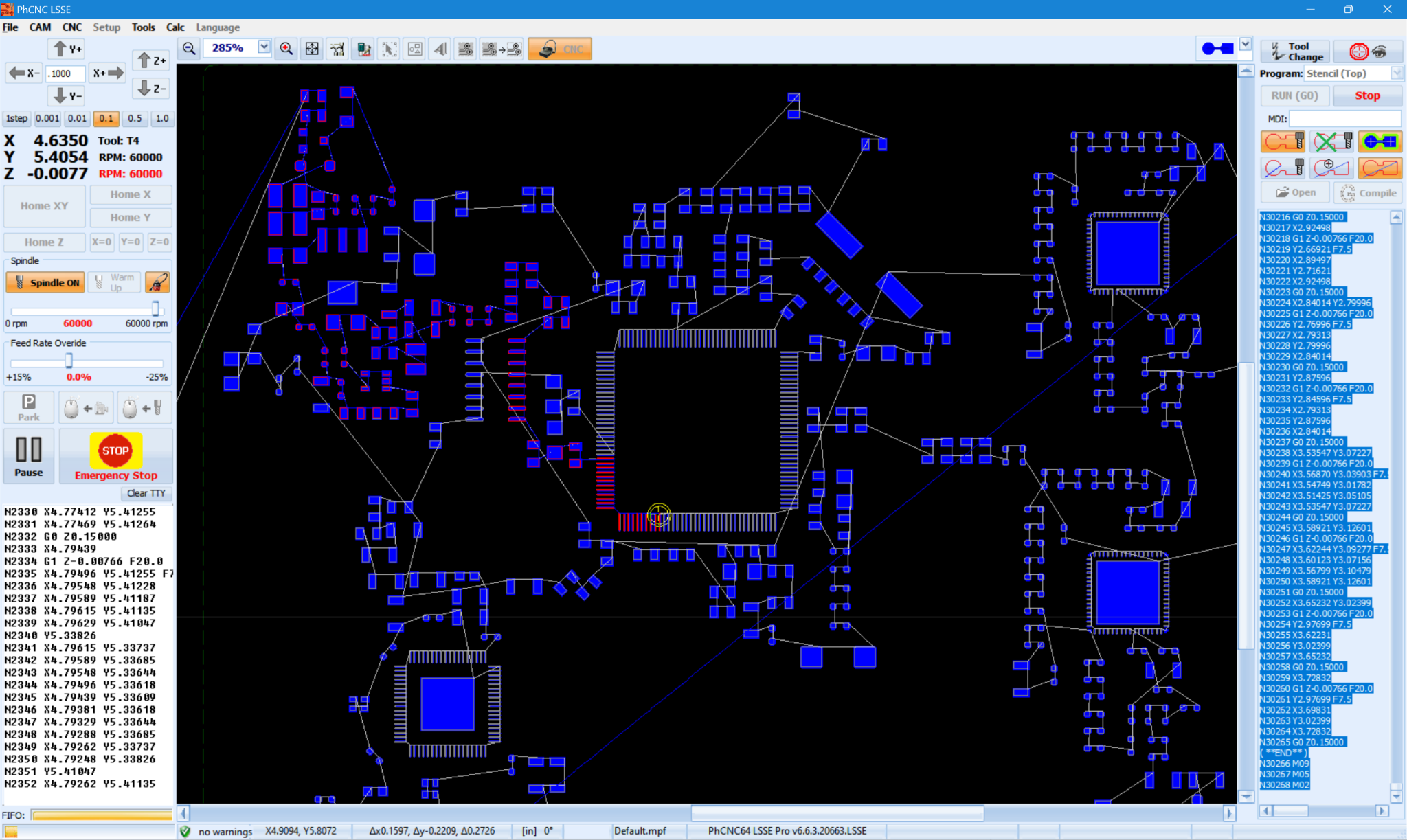
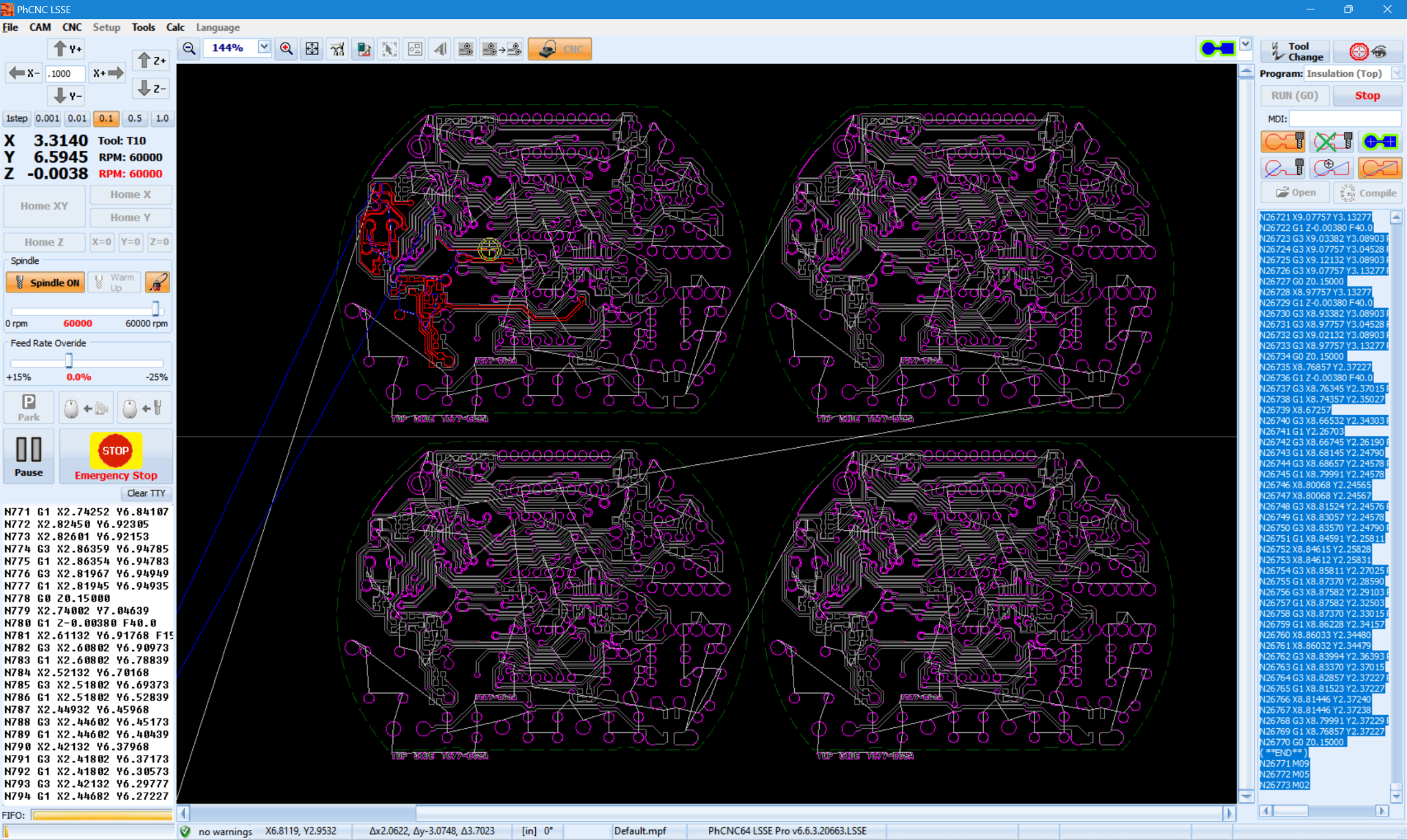
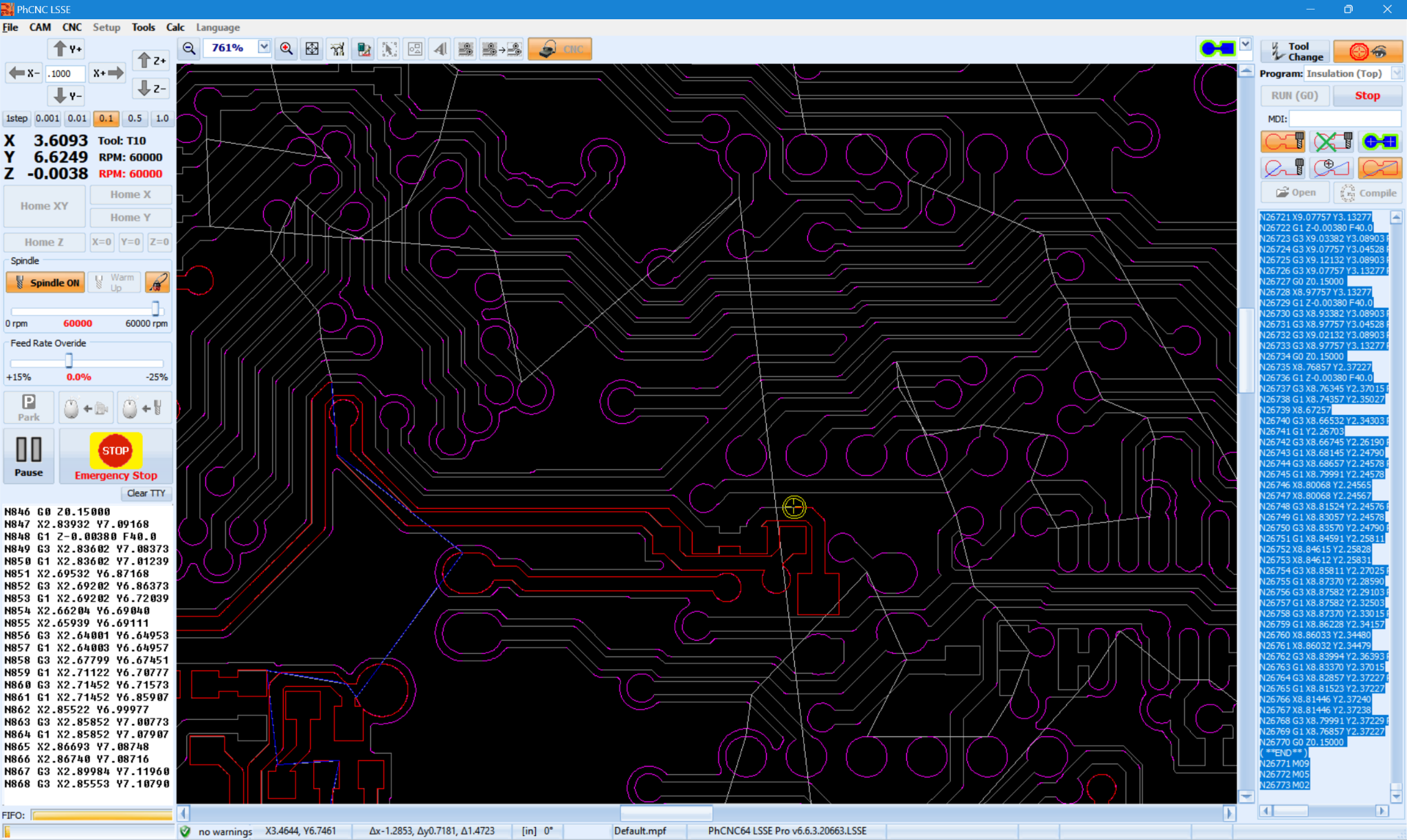
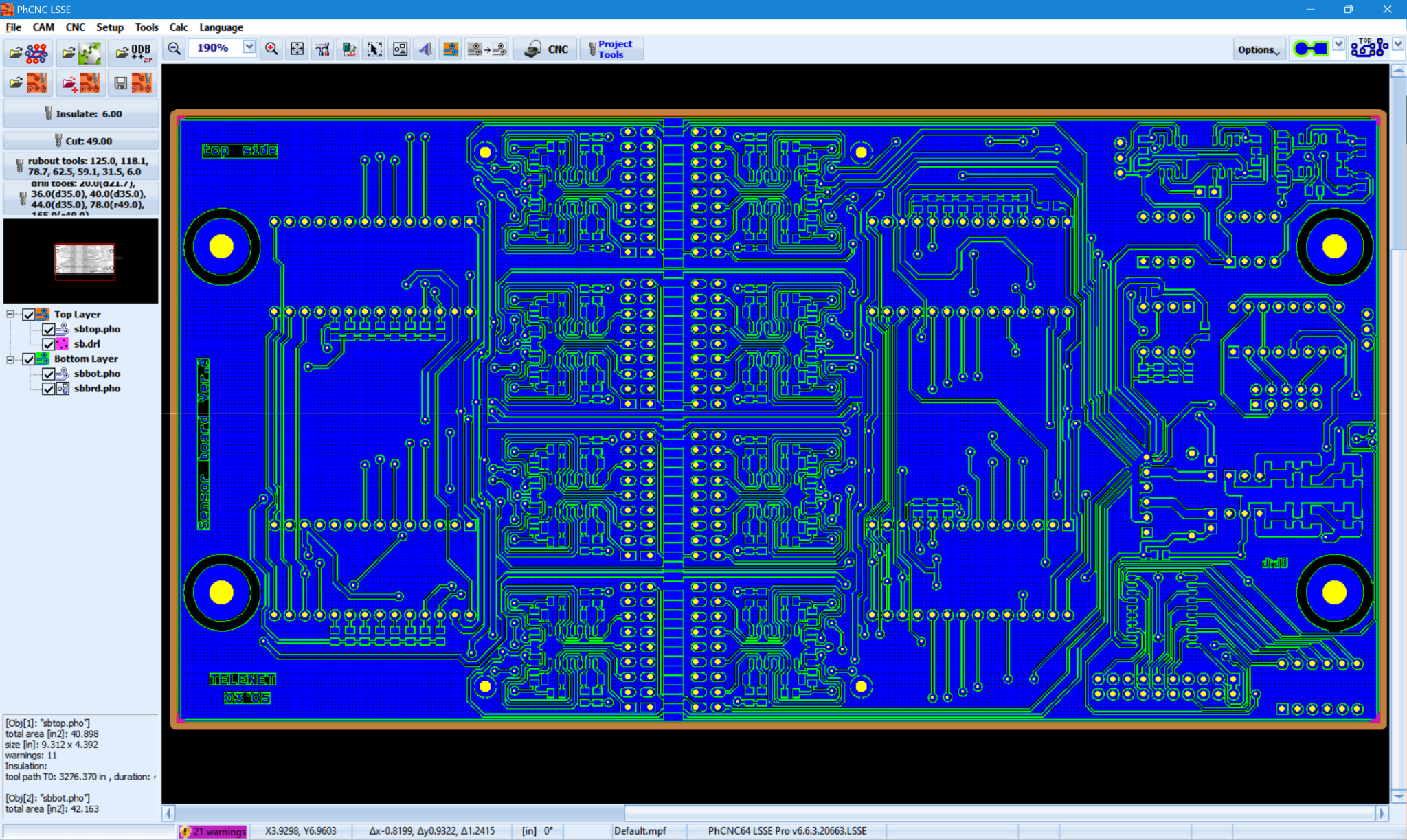
The principal CAM preparation and simulation functionality is the same as the licensed PhCNC LSSE software edition. The licensing and distribution model is different.
The license is stored in the USB dongle supplied with the product. Install PhCNC LSSE HD and the required drivers on each compatible Windows computer where it will be used.
PhCNC LSSE HD works with its official USB license dongle. It does not use software activation keys or software license files. The standard PhCNC LSSE software edition does not use USB dongles.
Evaluation Mode is the normal unlicensed state of PhCNC LSSE HD, not a separate product.
Import, edit, arrange, clone and panelize projects; create tabs; configure tools and machining operations; generate toolpaths and G-code in memory; inspect, simulate and verify G-code; save and reopen native PhCNC projects; and print projects for evaluation or documentation.
Generated G-code remains in memory for simulation and verification. Saving or copying G-code, exporting processed Gerber data and creating other production-use or machine-output files requires the official USB license dongle.
Production-file export is disabled in Evaluation Mode.
PhCNC LSSE HD provides the same core CAM technology and functionality as PhCNC LSSE. It uses hardware-based licensing and does not provide PhCNC machine control. Compare PCB CAM software for Gerber-to-G-code workflows.
| Capability | Description |
|---|---|
| Import and project preparation | |
| File import | Import Gerber RS-274X, ODB++, Excellon and AutoCAD DXF data generated by virtually any PCB CAD system. |
| ODB++ projects | Import complete ODB++ jobs from directories and supported compressed packages, with automatic recognition of relevant PCB layers and project structure. |
| ODB++ Bridge - Zero Clicks | Automatic native ODB++ transfer from KiCad, Altium Designer, EasyEDA Pro Desktop, OrCAD X / Allegro, Autodesk Fusion, CADSTAR, DipTrace and Siemens PADS Pro Layout. Start the Bridge command in your PCB CAD; PhCNC imports the result in CAM mode with no additional import clicks. |
| Manual Pick & Place Helper | Interactive assistant for manual PCB assembly. Select one or multiple components and PhCNC shows their locations with flashing highlights while displaying designator, footprint and description. Pin 1 is indicated when imported ODB++ or Gerber + Pick & Place data contains the required information. |
| Project workflow | Create, load, save and combine reusable PhCNC projects. |
| Multiple designs | Import and arrange multiple independent PCB designs in one project. |
| Machining window | Process a selected region or divide projects that are larger than the available machining area into sections. |
| Editing, grouping and panelization | |
| Object editing | Select, move, rotate, copy, clone and delete project objects. |
| Grouping | Create nested groups without an arbitrary one-level grouping restriction. |
| Cloning and panelization | Clone and arrange PCB objects to create production panels. |
| Undo and Redo | Provide 32 levels of Undo and Redo for supported project-editing operations. |
| Routing tabs | Add or remove contour-routing tabs interactively by pressing Ctrl+T while the mouse pointer is positioned over a cutting contour. |
| Isolation and copper processing | |
| High-performance geometry engine | Efficiently process complex Gerber designs containing thousands of tracks, polygons and aperture macros without requiring conversion into G36/G37 polygons merely for acceptable performance. |
| Internal calculation resolution | Use 1 nm internal geometric calculation resolution. This value describes internal calculations, not guaranteed physical machining accuracy. |
| Isolation routing | Generate isolation toolpaths using up to 8 different isolation tools. |
| Multi-tool isolation strategy | Use larger tools whenever possible and reserve smaller, more expensive tools for areas where their diameter is required, reducing machining time and small-tool wear. |
| Copper rubout | Remove unwanted copper using up to 8 different rubout tools. |
| DRV and Forced Insulation | Detects areas where the selected isolation tool cannot achieve the required clearance and generates minimum-violation isolation paths through problematic narrow regions. |
| Remove Spikes | Removes thin residual copper slivers that may become mechanically unstable or peel from the FR4 after isolation milling. |
| Toolpath generation | |
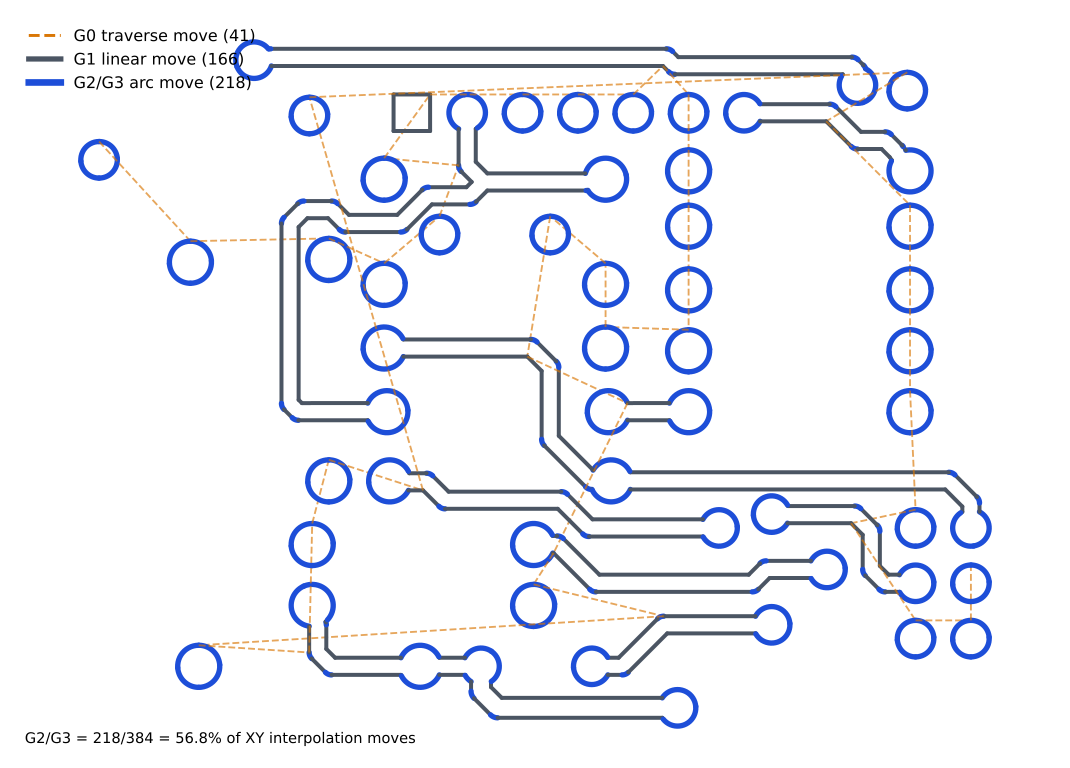
| Optimized G1/G2/G3 output | Detect suitable circular geometry automatically and generate optimized toolpaths using G1 linear moves and G2/G3 circular arcs. Depending on the design, isolation programs can contain a substantial number of circular commands. |
| Tool assignment | Assign separate tools and parameters to isolation, rubout, drilling, cutting and masking-drill operations. |
| Peck/step mode | Apply stepped-depth machining when a peck step is specified for isolation routing, copper rubout, drilling, contour cutting and masking drilling. |
| Text and graphical input | |
| PhCNC Printer Input | Send graphical output directly to PhCNC from virtually any Windows application capable of printing, using the PhCNC Printer Windows driver. Printer input can be interpreted as Engraving, Gerber Positive or Gerber Negative. Print from Any Windows App to CNC G-code - 4.018 s demo |
| Raster Text & Images | Create formatted text using Windows fonts and insert images with the built-in text and image editor. The resulting graphics are inserted into the project as an independent object. |
| Vector Text | Insert true vector text directly at the mouse position using the built-in vector font. Vector text is created as an independent project object and can be moved, rotated, copied, cloned and grouped with other objects. |
| Drilling, cutting and engraving | |
| Drilling | Generate standard PCB drilling operations from Excellon and project data. |
| Routed holes | Machine holes with a router bit instead of a drill bit when required. |
| Contour cutting | Generate compensated internal and external cutting contours. |
| Masking drilling | Generate masking-related drilling operations. |
| Verification and output | |
| G-code generation | Generate production G-code from the configured CAM operations. |
| Simulation | Preview and simulate the resulting G-code before export or machining. |
| Production export | Export production files when the product is licensed. |
PhCNC provides both printer-based graphical input and native vector-text insertion as separate CAM workflows.
Native circular interpolation is preserved in production G-code instead of being replaced by unnecessary short line segments.
PhCNC calculates machining toolpaths directly from Gerber geometry. Circular portions of the calculated toolpath are automatically detected and preserved in the exported G-code as native G2/G3 arc commands instead of being approximated by sequences of short G1 line segments.
This produces compact, geometrically accurate G-code and allows the CNC controller to execute circular motion using its native arc interpolation.
The percentage covers G1/G2/G3 XY interpolation moves in this example. G0 traverse moves are excluded.
The editions are separate builds and their licenses are not interchangeable.
| Feature | PhCNC LSSE | PhCNC LSSE HD |
|---|---|---|
| CAM functionality | Complete | Complete |
| License type | Software license | USB hardware license |
| Computer binding | One licensed computer | License stored in hardware key |
| USB licensing driver | Not required | Required |
| Intended use | Direct software purchase | Professional/OEM installations |
| PhCNC machine control | No | No |
| Production export | Available when licensed | Available when licensed |
The destination country determines the fixed shipping zone and shipping amount. Applicable VAT or tax is calculated separately. Import VAT, customs duties, customs-clearance charges and other destination-country fees are payable by the recipient where applicable.
TELENET LTD. selects a suitable tracked courier for the destination.
You can evaluate the PhCNC LSSE CAM workflow with your own production files before ordering. Evaluation Mode includes CAM preparation, toolpath generation and CNC simulation; production-file export requires a valid license.
The purchased HD edition uses the supplied physical USB license dongle and remains a separate application build.
Prefer the software-license edition? PhCNC LSSE is also available from Microsoft Store.
Scan the QR code or use the product-page address.
https://telenet-eu.com/PhCNCLSSEHD.php
Transfer the currently open PCB directly from KiCad, Altium Designer, EasyEDA Pro Desktop, OrCAD X / Allegro, Autodesk Fusion, CADSTAR, DipTrace or Siemens PADS Pro Layout using the CAD system's native ODB++ exporter. 8 PCB CAD systems supported.
Learn more about ODB++ Bridge →